FAB Bank Statement — View, Download & Print Online (2026)
A balance tells you how much money you have right now. A bank statement tells you where it came from and where it went. If you need to prove your income, check a payment that never arrived, or find a charge you do not recognise, the statement is the document you need — and with FAB you can get it without visiting a branch. The FAB Mobile app and FAB Online Banking both show your statements and full transaction history, and any FAB ATM can print a mini statement with your most recent transactions.
Quick answer: Open the FAB Mobile app, go to your account, and open Statements — or sign in to Personal Online Banking at bankfab.com and open the statements section. Pick the account and the date range, then view it on screen or download it. For just the last few transactions, use any FAB ATM and select the mini statement option.
What a FAB Bank Statement Shows
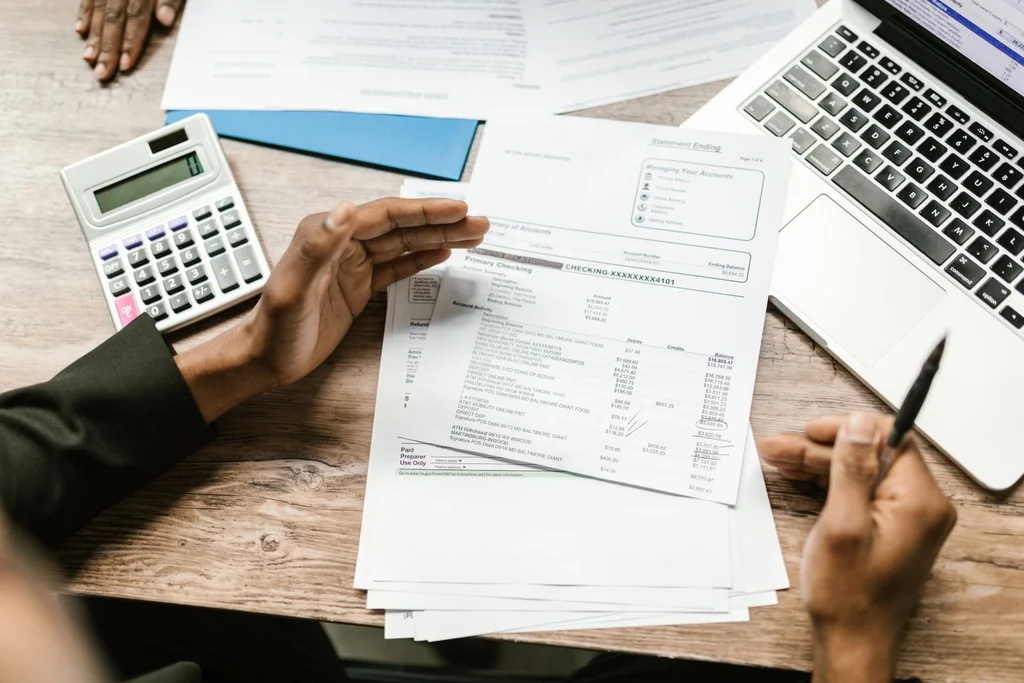
A bank statement is a record of everything that happened on your account over a chosen period. It lists salary credits, transfers in and out, card payments, ATM withdrawals, charges and the running balance after each entry. The app shows transactions with logos, categories and smart filters, so a statement is easier to read than a plain list of numbers.
Two things to keep apart:
A full statement covers a whole period you choose — a month, several months, or a custom date range — and shows every transaction in that period. This is the document to use when you need proof of income or a complete record.
A mini statement shows only your most recent transactions, usually the last few entries, and is available at an ATM. It is a quick check, not a full record, and it does not replace a full statement for official purposes.
If all you need is today’s balance, you do not need a statement at all — our FAB bank balance check guide covers the faster balance-only methods.
Method 1 — FAB Mobile App (Fastest)
The FAB Mobile app is the fastest way to view a statement. It is available on the App Store, Google Play and Huawei AppGallery, and it shows account and card balances on the home screen after login, with biometric login by fingerprint or face.

- Open the FAB Mobile app and sign in with your password, fingerprint or face.
- Tap the account you want the statement for.
- Open Statements or Transactions to see your recent activity, with logos, categories and smart filters.
- Choose the period you need and view the statement on screen, or download it to your phone.
If the statement for the period you need is not showing, check that you picked the right account — a salary account and a credit card each have their own statement. A credit card statement is found under Cards, not under your account. Our FAB credit card balance check guide explains where the card figures live. If the app itself will not open, our FAB mobile app guide walks through the app setup step by step.
Method 2 — FAB Online Banking
If you prefer a computer, FAB Online Banking at bankfab.com shows the same statements and transaction history, and a bigger screen makes a long statement much easier to read. The portal host is online.bankfab.com.
- Go to bankfab.com and choose Personal Online Banking.
- Sign in with your username and password.
- Open Accounts, then your account, and look for Statements.
- Pick the account and the date range you need, then view the statement on screen or download it.
Type bankfab.com yourself — never follow a link from an SMS or email to reach the login page. And remember that your online banking account locks after three unsuccessful login attempts. If that happens, the account stays locked until customer care unlocks it after verification, so call 600 52 5500 rather than guessing the password again. Our FAB online banking guide covers the login and the lockout in more detail.
Method 3 — Mini Statement at a FAB ATM
If you only need your last few transactions and cannot get online, any FAB ATM can print a mini statement. Insert your card, enter your PIN, and select the mini statement option. It shows your most recent transactions rather than a full date range.
Balance enquiry at a FAB ATM is free. At another UAE bank’s ATM, a balance enquiry costs AED 1 per transaction under FAB’s official schedule of charges, so use a FAB ATM when you have the choice. Never let anyone watch you enter your PIN, and always take your card back before walking away. Our FAB balance check at ATM guide covers the ATM methods in full.
When You Need a Stamped or Certified Statement
A statement you download yourself is fine for your own records and for most day-to-day needs. Some situations ask for more — an authenticated copy, for example for certain official or legal purposes. For that, contact the bank: visit a FAB branch in person or call customer care on 600 52 5500 from inside the UAE, or on +971 2 681 1511 from outside the UAE, and ask what they need from you. Do not pay anyone online who offers a “certified” statement — the bank is the only source.

If Your Statement Looks Wrong
A statement that does not match what you expect usually has one of these causes:
- A payment has not posted yet. A payment you just made can take time to appear on the statement. Check your transactions in the app — if the payment is listed there, the statement will catch up.
- You are looking at the wrong account or the wrong period. A salary account, a savings account and a credit card each have their own statement. Check the account name and the date range at the top of the statement first.
- A charge you do not recognise. Check the transaction detail in the app — the logo and category often explain a charge that looks strange as a bare number. If it is still unfamiliar, call 600 52 5500 with your Emirates ID and account details, and ask the bank to walk through the transactions with you.
- Your salary is missing from the statement. Under the UAE Wage Protection System, wages for the preceding month fall due on the 1st day of each Gregorian month, and payment after the 1st counts as delayed. If the money is not there, read our salary not received guide — the cause is usually the employer’s payroll, not the bank.
- Your login is locked. After three unsuccessful online banking attempts, the account locks until customer care unlocks it after verification — a locked login can look like a missing statement when the money and the account are fine.
What NOT to Use for a Statement
A few methods people try do not work for statements at all — and knowing that saves a frustrating half hour.
The prepaid card portal is not for account statements. The portals at ppc.bankfab.com and ppc.magnati.com are for prepaid cards only — Ratibi and other salary cards, which have no bank account behind them. An account statement will never appear there. If you hold a Ratibi card as well as a bank account, keep the two apart: the portal is for the salary card, the app and online banking are for the account. See our Ratibi card balance check guide for the prepaid side.
FAB does not offer banking over WhatsApp. The Central Bank of the UAE directed all UAE banks to stop using WhatsApp for customer communication and financial services, with compliance by 30 April 2026. Any WhatsApp message offering to send your bank statement is fraudulent.
There is no missed-call statement service from FAB. The offline ways to check are SMS to 2121 for a balance and FAB ATMs for a mini statement only. A missed call to a number from a random message will not return your statement.
Stay Safe While Checking
FAB never asks for your PIN, OTP or password by phone, SMS, email or WhatsApp. Never enter your PIN, OTP or CVV on any statement or balance-check page — a real statement download never asks for them. Never click a link in an SMS about your statement — type bankfab.com yourself. If you get a suspicious message about your bank statement, report it to FAB at atyourservice@bankfab.com.
| Method | What you get | Where |
|---|---|---|
| FAB Mobile App | View the statement on screen or download it to your phone | App |
| FAB Online Banking | View and download statements and transactions on a computer | Online banking |
| FAB ATM | A mini statement with only your most recent transactions | ATM |
| Branch or customer care | A stamped or certified statement — call 600 52 5500 or visit a branch | Branch |
Related Guides
Frequently Asked Questions
This is an independent informational guide. We are not affiliated with, endorsed by, or connected to First Abu Dhabi Bank (FAB). Always confirm balances, fees and procedures through FAB’s official channels at bankfab.com or by calling 600 52 5500.





One Comment