
My FAB Balance Looks Wrong — How to Check & Fix It
You expected one number and the bank shows another. Before you worry, know this: most “wrong balance” cases have a simple explanation — a pending payment, a salary that has not landed yet, or the difference between two balances the bank shows. This guide walks through the checks in order, so you can find the reason yourself and know exactly when to call FAB.
Quick answer: Check pending transactions first — the figure shown is your available balance, which is lower than the current balance while payments are pending.
First: Available Balance vs Ledger Balance
Pending card payments reduce the available balance first.
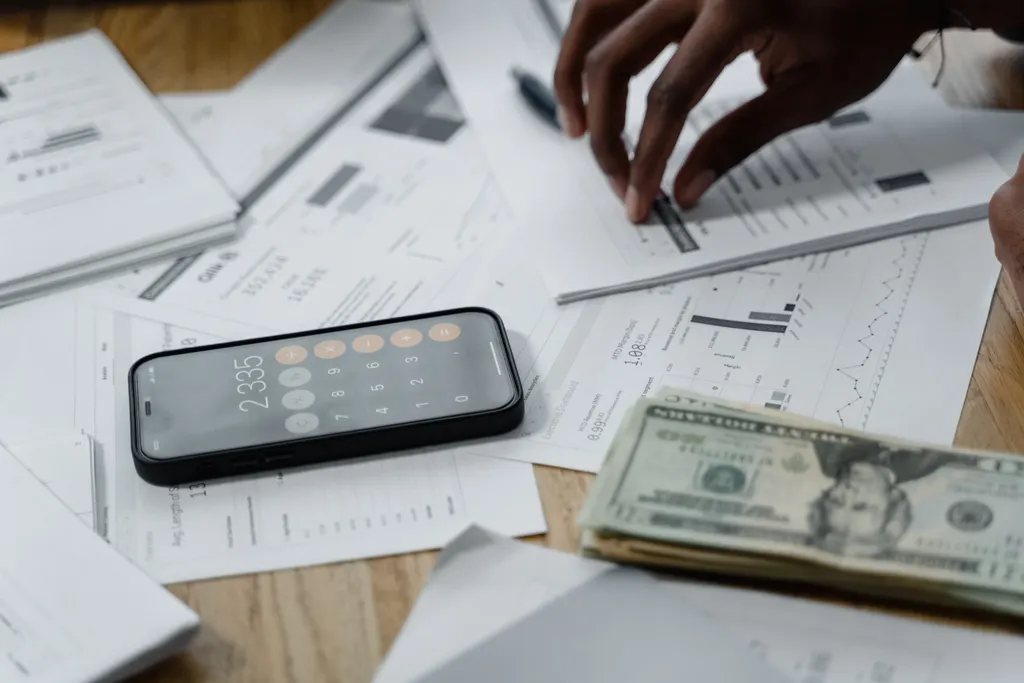
FAB, like every bank, keeps two balances for your account:
- Available balance: the money you can spend right now. Pending card payments and holds are already taken out of this number.
- Ledger balance (also called current balance): the total balance including transactions that are still processing. A pending payment still counts in this number until it clears.
The app and the ATM usually show the available balance. That is the number that matters for spending — but it is also the number that surprises people, because it drops the moment you pay by card, even before the shop’s payment clears.
Example: your ledger balance is AED 5,000. You pay AED 400 by card. Your available balance falls to AED 4,600 at once, while the ledger balance still shows AED 5,000 until the payment clears. Neither number is wrong — they measure different things. If you compare the app against a statement or against your own arithmetic, make sure you are comparing the same balance on both sides.
For Ratibi and other prepaid cards there is only one balance — the amount loaded on the card — so this distinction does not apply. If a prepaid balance looks wrong, skip to the transaction checks below. See our Ratibi card balance check guide for prepaid checks.
Check 1: Look at Your Recent Transactions
Open the FAB Mobile app and tap the account. The app shows transactions with logos, categories and smart filters, so you can see at a glance where the money went. Look for:
- Pending transactions. These are card payments that have reduced your available balance but have not cleared yet. They usually clear in a day or two, and the available balance then matches the ledger balance again.
- A payment you forgot. Subscriptions, automatic top-ups and small card payments are easy to miss. Check the last two weeks, not just the last few days.
- A fee or charge. Annual card fees, SMS charges from your operator, or an ATM fee (AED 1 at another UAE bank’s ATM) can explain a small difference. Balance enquiries at FAB ATMs are free.
- The same payment twice. A shop can charge twice by mistake. If you see a duplicate, note both dates and amounts.
If you prefer a computer, the same transactions are in online banking at bankfab.com. Our FAB balance check online guide explains how to get there, and our FAB Mobile app guide covers the app screens.
Check 2: Is Your Salary Actually In?
The most common “wrong balance” on salary day is a salary that has not arrived yet. Before you assume the bank is wrong, check:
- The date. Under WPS rules, your salary for a month is due on the 1st of the following month (MOHRE Ministerial Resolution No. 340 of 2026, in force 1 June 2026). Your employer may pay earlier, but if it has not arrived by the 1st, it is late.
- Your employer. Most late salaries are an employer payment delay, not a bank problem. Ask your employer when the salary was sent and for which month.
- The right account or card. Salary can go to a bank account or to a prepaid card, and the two are checked differently. Account holders check the app or online banking; Ratibi cardholders check the PPC portal at https://ppc.magnati.com/ppc-inquiry/ or https://ppc.bankfab.com/PPCInquiry/. If you check the wrong place, the salary looks missing when it is sitting in the other one.
If your employer says the salary was sent but nothing shows anywhere, call FAB on 600 52 5500 with the date and amount.
Check 3: Compare Two Independent Sources
One source can mislead you. Check a second one:
- App vs ATM. Get a mini-statement at a FAB ATM and compare it with the app. Our FAB balance check at ATM guide explains the steps. If the two agree, the balance is almost certainly right and the explanation is in the transactions.
- App vs SMS. Text BAL plus the last 4 digits of your account number to 2121 and compare the reply with the app. See our FAB balance check by SMS guide.
- Today vs yesterday. If the balance changed overnight with no transaction you recognise, look for a pending payment that cleared, or a salary credit that landed.
If two sources agree and the transactions explain the difference, there is nothing to fix — the balance was right all along. If two sources disagree with each other, that is a real problem: note both numbers and call FAB.
Check 4: Holds, Cheques and Reversals
A few less obvious causes:
- Card holds. Hotels, car rental companies and petrol stations can place a temporary hold on your card. The hold reduces your available balance until the merchant releases it. The app usually shows the hold as a pending transaction.
- A cheque that has not cleared. A deposited cheque adds to the ledger balance before the money is available to spend. Until it clears, the available balance stays lower.
- A reversed payment. A refund or a reversed charge can arrive a day or two after the original payment, so the balance jumps back up without an obvious reason. Check for credits, not just debits.
- A blocked card. A blocked card can stop you using the balance even when the money is there. If your card has stopped working entirely, see our guide on what to do if your Ratibi card is blocked and call FAB.
Do not guess at hold amounts or clearing times — they vary by merchant and transaction type. If a hold does not clear after a few days, call FAB and ask about that specific transaction.
| Possible Cause | How To Check |
|---|---|
| Pending transaction | It reduces your available balance before it clears — review your recent transactions in the app |
| A payment you forgot | Subscriptions and automatic top-ups are easy to miss — check the last two weeks of transactions |
| A fee or charge | Card fees, operator SMS charges, or the AED 1 fee at another UAE bank’s ATM — look for fee entries |
| The same payment twice | A shop can charge twice by mistake — note both dates and amounts, then call FAB |
| Card hold | Hotels, car rentals and petrol stations place temporary holds that reduce your available balance |
| Cheque not cleared | A deposited cheque adds to the ledger balance before the money is available to spend |
When to Call FAB
Call FAB on 600 52 5500 in the UAE, or +971 2 681 1511 from outside the UAE, if:
- A transaction appears that you did not make, or the same payment appears twice.
- Two balance sources disagree with each other.
- A pending transaction has not cleared after several days.
- Your employer says the salary was sent, but it shows nowhere.
- The balance drops with no transaction at all to explain it.
Have ready before you call: your account or card number, the date and amount of the transaction in question, and the balance you expected versus the balance shown. The more precise you are, the faster FAB can check.
If you suspect fraud — a transaction you did not make, or a message that tricked you into sharing details — call 600 52 5500 immediately. You can also report fraud by email at atyourservice@bankfab.com, the address FAB publishes on its official fraud and security page. FAB never asks for your PIN, OTP or password by phone, SMS, email or WhatsApp, and it does not offer balance checks on WhatsApp.
A Quick Routine for Next Time
Keep a simple habit and the “wrong balance” worry mostly disappears:
- Switch on real-time alerts in the FAB Mobile app, so every credit and payment notifies you the same day.
- Check the balance the same way each time — the app home screen is the easiest — and compare available with available, not available with ledger.
- Once a week, glance at the transaction list. A wrong transaction spotted in a week is far easier to fix than one spotted in three months.
- On salary day, check the credit first, then the balance. If the credit is missing on the 1st of the month, ask your employer the same day.
Our balance enquiry guide covers every channel in one place, so you can pick the fastest check for any situation.
Check your FAB balance the right way
Use the method that fits your product — app or online banking for accounts, PPC portal or ATM for Ratibi and prepaid cards.
Frequently Asked Questions
This is an independent informational guide. We are not affiliated with, endorsed by, or connected to First Abu Dhabi Bank (FAB). Always confirm balances, fees and procedures through FAB’s official channels at bankfab.com or by calling 600 52 5500.