
Ratibi Card Blocked — What to Do Next
A blocked Ratibi card is stressful: your salary may already be on the card, but you cannot spend it, withdraw it or check it. This guide explains why Ratibi cards get blocked, how to check whether your money is still there, and the exact steps to get the card working again or replaced.
Ratibi is a FAB prepaid salary card issued through employers under the UAE Wage Protection System (WPS). It is built for workers earning up to AED 5,000 per month, and it has no bank account behind it — so a blocked card is handled through FAB customer care and your employer, not through online banking.
Quick answer: Do not keep trying the card. Call FAB on 600 52 5500 or check via the PPC portal / a FAB ATM.
First: Is Your Money Still There?
Ratibi is a prepaid card — no bank account behind it. Check it on the PPC portal or at a FAB ATM.
A blocked card does not usually mean your money is gone. In most cases the salary is still loaded on the card — the card is simply stopped from being used. Check first, so you know what you are dealing with:
- Try the PPC portal: https://ppc.bankfab.com/PPCInquiry/ or https://ppc.magnati.com/ppc-inquiry/. Enter the details the portal asks for. If the portal shows your balance, the money is there and only the card is blocked.
- If the portal also fails, try a FAB ATM balance enquiry. If the ATM refuses the card, the block is confirmed.
- Note the date your salary was last loaded and the amount, before you call. FAB will ask.
If the portal shows a zero balance and your employer says the salary was sent, the problem may be a late salary rather than a blocked card. Under WPS rules, your salary for a month is due on the 1st of the following month — if it has not arrived by the 1st, it is late, and your employer is the first person to ask. See our Ratibi card balance check guide for the full salary-not-arrived checks.
Why Ratibi Cards Get Blocked
| Reason | What It Means |
|---|---|
| Wrong PIN too many times | Repeated wrong PIN entries block the card as a security measure |
| Lost or stolen report | FAB blocks a reported card so nobody else can use it |
| Suspected fraud | Unusual transactions can trigger a protective block |
| Expired card | The card stops working after the printed expiry date, even if money is loaded |
| Employer or salary-file issue | A problem with the employer’s WPS salary file |
| Damaged card | A cracked chip or worn magnetic strip — it looks like a block but is physical damage |
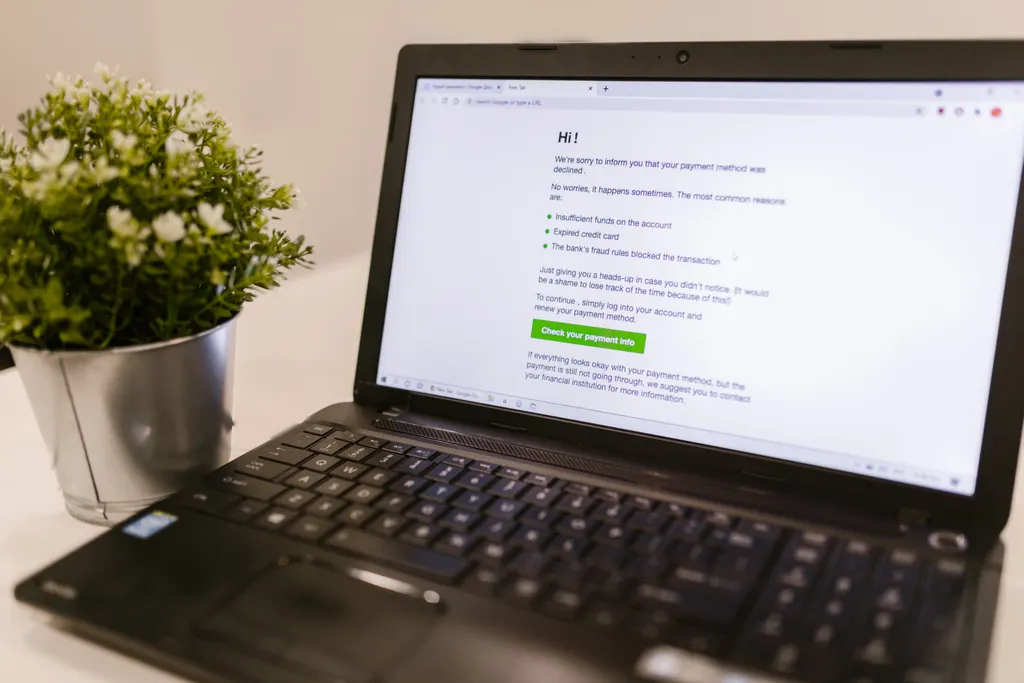
The most common reasons are:
- Wrong PIN too many times. Entering the wrong PIN repeatedly at an ATM or in a shop can block the card as a security measure. This is the most common cause, and it is also the most avoidable — never guess your PIN.
- Lost or stolen report. If you reported the card lost or stolen, FAB blocks it so nobody else can use it. A reported card is normally replaced, not unblocked.
- Suspected fraud. If FAB’s systems see unusual use — for example, transactions far from your normal pattern — the card may be blocked while the bank checks. FAB never asks for your PIN, OTP or password by phone, SMS, email or WhatsApp, so if anyone asked you for those details, tell FAB at once.
- Expired card. Prepaid cards have an expiry date printed on the front. An expired card stops working even if money is loaded on it. Your employer arranges the replacement.
- Employer or salary-file issue. Because the card is issued through your employer under WPS, a problem with the employer’s salary file can also affect the card. If FAB says the card itself is fine, ask your employer whether there is an issue on their side.
- Damaged card. A cracked chip or a worn magnetic strip can make ATMs and shops reject the card. It looks like a block, but it is physical damage — the card needs replacing.
You do not need to guess which reason applies. FAB can tell you when you call — and the fix depends on the reason, so the call is the essential step.
What to Do Step by Step

Step 1 — Stop trying the PIN. If the card was blocked by wrong PIN attempts, more wrong attempts will not help. Do not let a shopkeeper or a friend try either. Put the card away and use the steps below.
Step 2 — Check the balance on the PPC portal. Use https://ppc.magnati.com/ppc-inquiry/ or https://ppc.bankfab.com/PPCInquiry/. You need the last 4 digits of the card number, your Card ID and a CAPTCHA on the Magnati portal. Your Card ID is a separate reference number printed on the card or its welcome-envelope carrier — it is not the card number. If the portal shows your balance, your money is safe and only the card is stopped.
Step 3 — Call FAB on 600 52 5500. This is the customer care number published on bankfab.com, and it is the number to use for Ratibi questions too. From outside the UAE, call +971 2 681 1511. Have ready: your card number, your Emirates ID number, and the date and amount of your last salary. Ask three things: why the card is blocked, whether it can be unblocked, and if not, how to get a replacement.
Step 4 — Visit a FAB branch if asked. Some blocks can only be cleared in person, with your Emirates ID. FAB will tell you on the call whether a visit is needed and what to bring. Take your Emirates ID and the blocked card with you.
Step 5 — Ask your employer about a replacement. Ratibi cards are issued through employers. If the card must be replaced, your employer normally arranges the new card, and your salary file moves to it. Ask your employer how long the replacement takes and whether your next salary will go to the old card or the new one.
Step 6 — When the new card arrives, check it immediately. Check the balance on the PPC portal, test the card at a FAB ATM, and keep the Card ID from the welcome envelope somewhere safe. Set a PIN you will remember, and never share it.
What If You Need Money Urgently?

A blocked card with money on it is frustrating, especially near salary day. Unfortunately there is no shortcut: only FAB can unblock the card or arrange a replacement, and only your employer can reissue a Ratibi card. What you can do is move fast — call 600 52 5500 the same day, ask whether the block can be lifted on the call, and if a branch visit is needed, go the same day with your Emirates ID.
Do not pay anyone who offers to unblock the card for a fee. FAB does not charge for unblocking through unofficial agents, and anyone offering this is a scammer. Do not share your PIN, OTP or Card ID with anyone offering help online.
If Your Card Is Lost or Stolen
Call FAB on 600 52 5500 immediately and report it. The bank blocks the card so it cannot be used, and arranges a replacement through your employer. Check the PPC portal first if you can, so you know the balance at the time you report it. If money was taken before you reported the loss, tell FAB the dates and amounts — the bank will advise you on the next steps. To report fraud by email, use atyourservice@bankfab.com — the address FAB publishes on its official fraud and security page.
How to Avoid a Blocked Card
- Memorise your PIN. Never write it on the card or keep it in your wallet.
- Never guess your PIN at an ATM or in a shop. If you are unsure, stop and call FAB.
- Keep the card away from heat, magnets and bending — a damaged chip causes failed transactions.
- Check the expiry date on the card. Ask your employer about a replacement before it expires.
- Check your balance regularly on the PPC portal or at a FAB ATM, so you notice a problem early. Our Ratibi card balance check guide explains every method, and our FAB balance check at ATM guide covers the ATM steps.
- Keep your mobile number updated with FAB and your employer, so verification messages reach you.
Check your FAB balance the right way
Use the method that fits your product — app or online banking for accounts, PPC portal or ATM for Ratibi and prepaid cards.
Frequently Asked Questions
This is an independent informational guide. We are not affiliated with, endorsed by, or connected to First Abu Dhabi Bank (FAB). Always confirm balances, fees and procedures through FAB’s official channels at bankfab.com or by calling 600 52 5500.